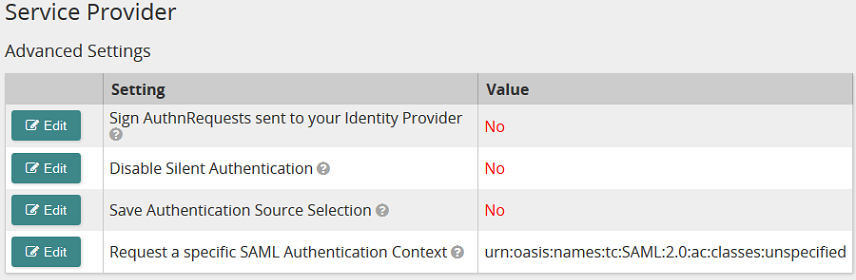
Use this page to set service provider advanced settings.
Settings
Sign AuthnRequests sent to your Identity Provider
If your identity provider requires that all authentication requests (SAMLRequests) are signed, select Yes. If not, select No.
Disable Silent Authentication
If set to Yes, Life Suite Authentication forces the IdP to require a login when moving between Life Suite modules and does not allow silent authentication to any Life Suite modules.
If set to No, silent authentication is allowed and once logged in, a user can move between Life Suite modules without being prompted to log in (provided they have not timed-out).
Save Authentication Source Selection
If set to Yes, Life Suite Authentication applies a persistent cookie to a user's browser that remembers their initial authentication source selection. This is applicable when you have configured more than one authentication source and Life Suite Authentication must prompt the user to select which authentication source to use. For example, you might have an IdP for all employees but use Life Suite Login for contractors. Another example might be you have an IdP for US employees and a different IdP for international employees.
If set to No, a user must select which authentication source to use with each access attempt if there is more than one authentication source enabled.
Request a specific SAML Authentication Context
Some IdPs require a specific SAML Authentication Context. Do not change the preset value unless you know the specific SAML authentication context that your IdP requires.
Buttons, links, and options

Click to access and edit a setting.


 Service Provider Advanced Settings page opens.
 .
.
 Print page