|
|
|


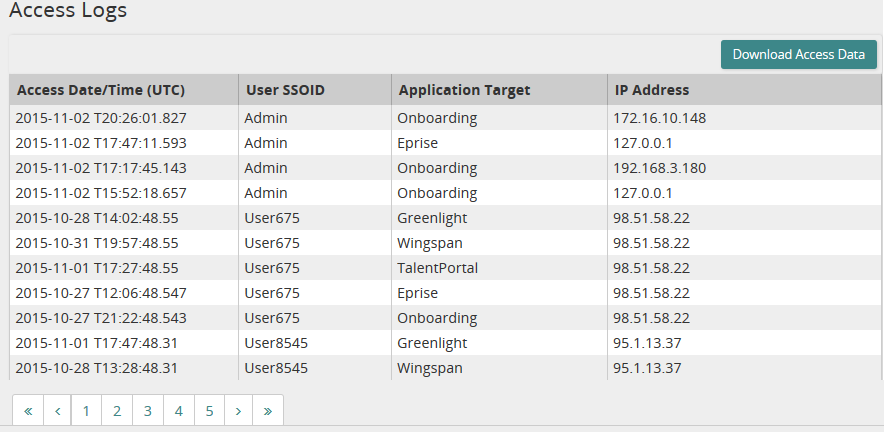
Download Access Log data
- From the navigation bar, click Access Logs.
The
 Access Logs page opens.
 - Click
 .
. - On the pop-up window, click Save File and then click OK.
Access Log data is downloaded to an XML file.
Note: The XML file is limited to the most recent 2000 access attempts.

| Copyright © 2015 SilkRoad Technology. All rights reserved. | 
 Print page Print page |