

|
|
|


Personal qualifications
Unique qualifications can also be created and assigned to individuals. You might do this if a student needs a unique learning plan tailored to their needs. To set this up, navigate to Learning>Plan >Students. Search for the student and click on Options>Properties.
Within the Student Properties page, there are three links that are used to view an individual’s personal calendar, qualifications, and personal development plan.
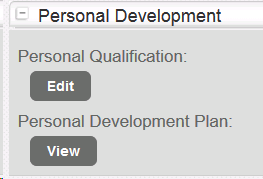
Through these links, you can assign individual competencies, requirements, and Interventions to individual students.
Under Personal Calendar, click View to view the student's current training calendar.
Under Personal Qualification, click Edit to create or edit a qualification assigned to that student.
Under Personal Development Plan, click View to view the student's Personal Development Plan.
| ©2021 SilkRoad Technology. All rights reserved. |
| Last modified on: 4/5/2021 8:23:55 PM |