

|
|
|


Step 1: Create the object
- From the navigation bar, click Content>Authoring>Content Objects.
- Click Add.
The Content Object Properties page opens.
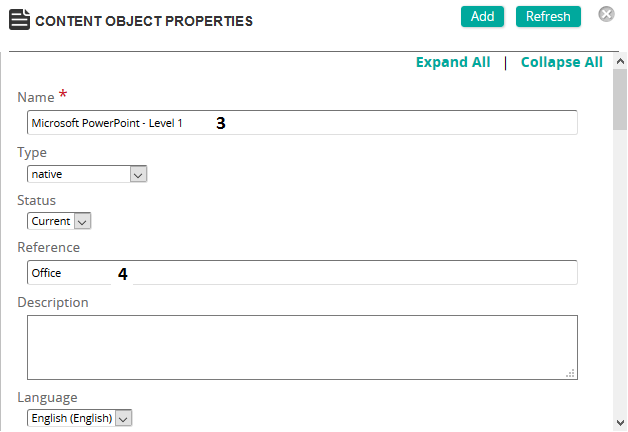
- Give the Content Object a name.
- Type a Reference.
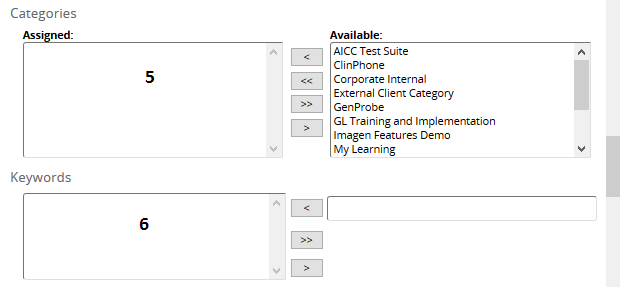
- Add Categories to the object for filtering.
- Add Keywords for filtering.
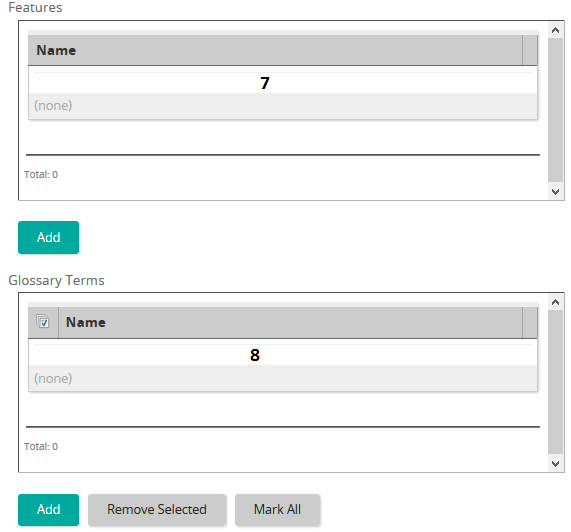
- Add desired features to the content object.
- Add desired glossary terms to the content object.
- Click Add (top of the page) to add the content object to SilkRoad Learning.
Next step: Author the content object.
| ©2021 SilkRoad Technology. All rights reserved. |
| Last modified on: 4/6/2021 1:58:11 PM |