

|
|
|


Step 3: Link activity to content
Link the Activity to Content
Once the activity has been titled and the type of content has been selected:
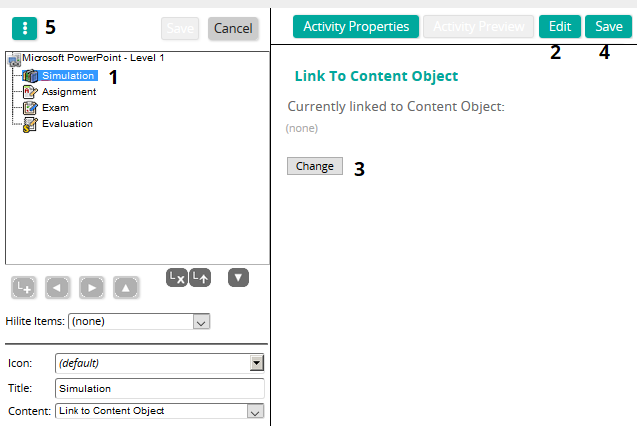
- Click the activity to highlight it.
- Click Edit.
- Click the Change button to search for and select the appropriate content.
- Save your selection.
- Click Options > Content Object Preview to view the content as it would look in the course.
Continue with these steps until desired content has been attached to the appropriate activity.
In this section |
| ©2021 SilkRoad Technology. All rights reserved. |
| Last modified on: 4/6/2021 1:58:34 PM |