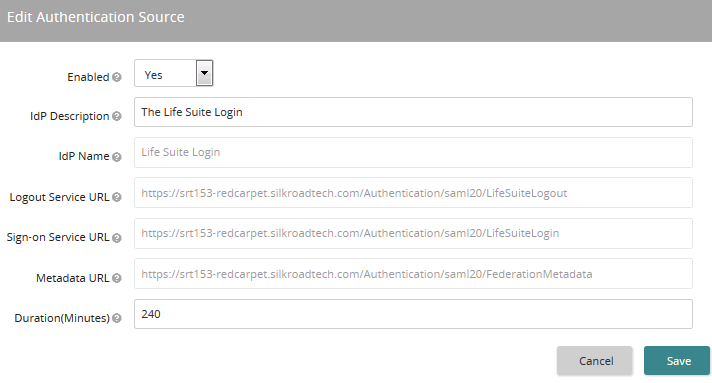
Use this page to make changes to the Life Suite Login authentication source. Not every setting on this page is editable. Settings that are grayed out are not editable.
Settings
Enabled
If set to Yes, Life Suite Login is recognized by Life Suite Authentication as a valid authentication source. This does not necessarily mean that this authentication source is fully functional. Additional configuration may be required. If multiple authentication sources are enabled, an unauthenticated user is presented with a choice of all authentication sources.
If set to No, the authentication source is not enabled.
IdP Description
Enter the name or label presented to users for selection when multiple authentication sources are enabled.
Tip: Use a descriptive name that makes it clear which IdP applies to a user.
Duration (minutes)
This setting in minutes (integer) determines how long to maintain the current session. Any new request made prior to the timeout duration being met results in a refresh of the session and the full timeout countdown starting over.
Note: If a user is actively working within a single Life Suite module and therefore no new request is made, the user might timeout with the Life Suite Login, but the user's session within the Life Suite module will not timeout as long as the user is active within the module.


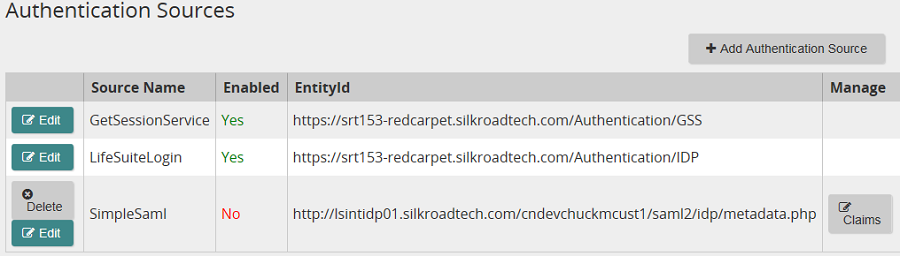
 Authentication Sources page opens.
 .
.



 Print page